
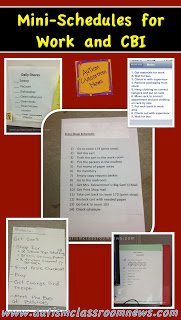

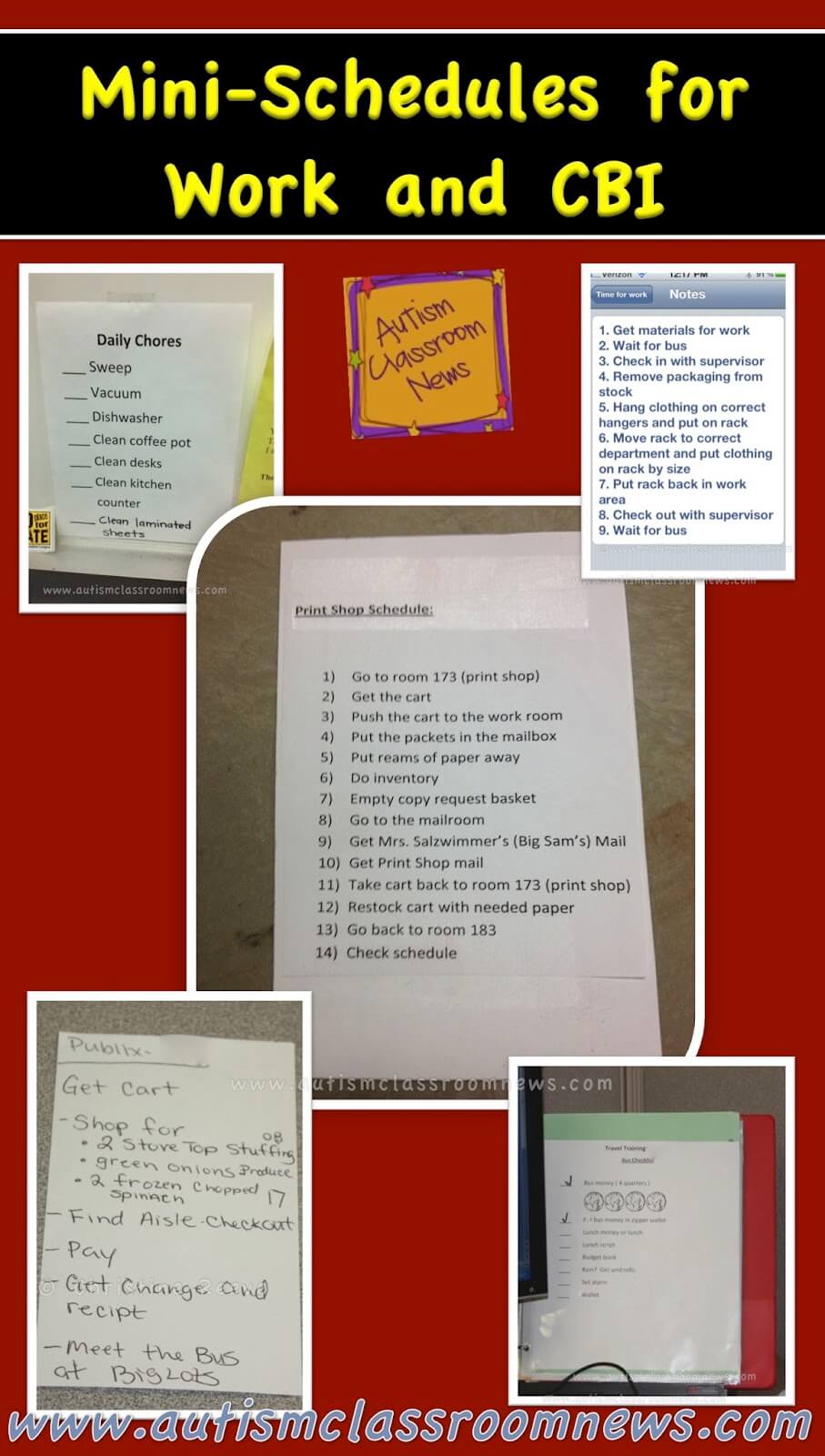
 We have talked about a variety of uses for schedules and to begin to wind up my discussion of mini-schedules, I wanted to focus on the application of schedules in work and community settings, particularly for older students transitioning to adulthood and adults. Just like with any type of mini schedules there are various ways to use them. Most of the ones to the left are written schedules, but some students will need visuals. The one to the right is one for doing laundry that uses pictures that I touched on in the last post.
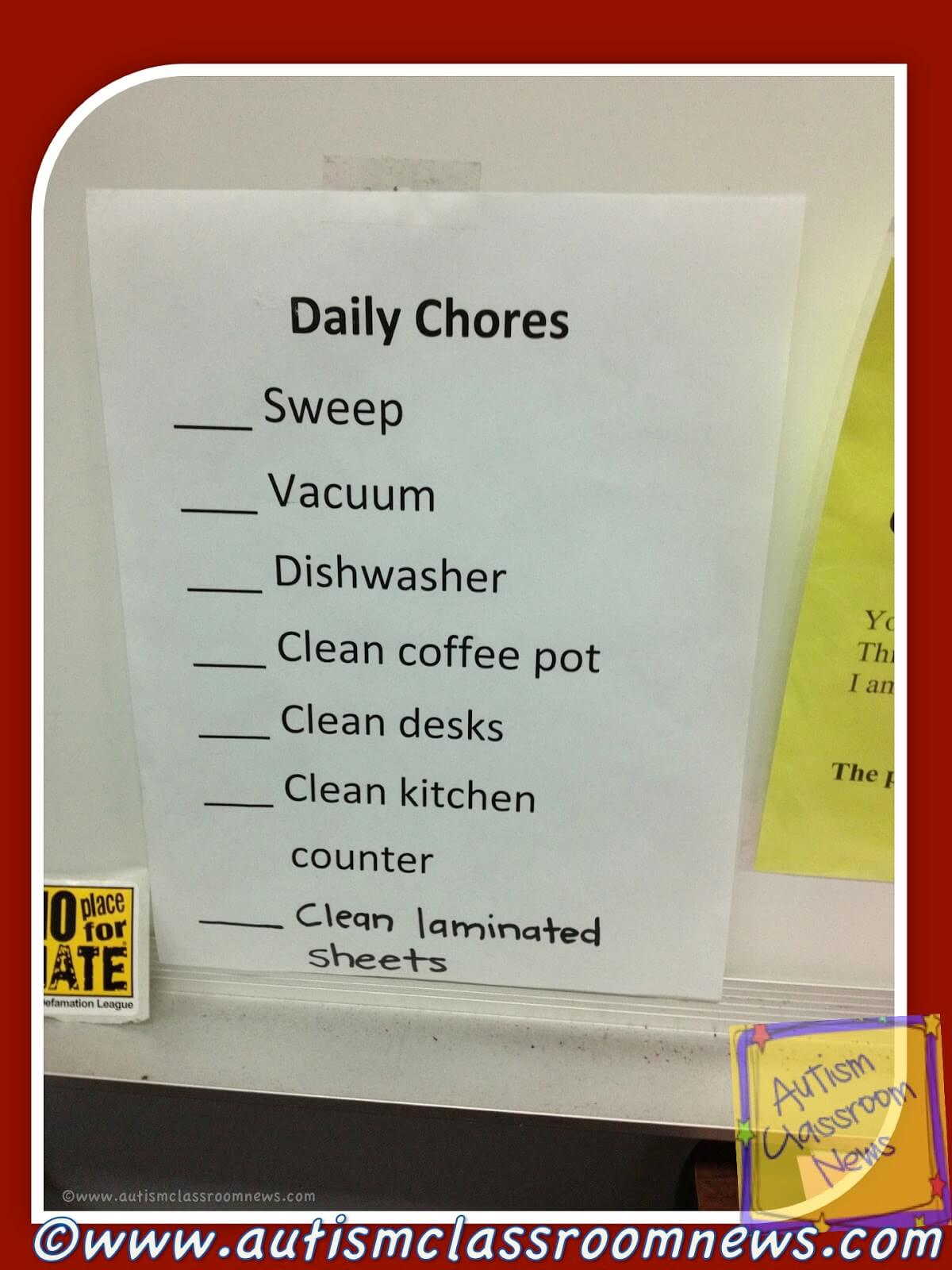
The daily chore chart to the left is one that can be used at home and school as well. It’s simply a chore chart that the student checks off, much like a honey-do or to do list we all use. If needed, pictures could be added to it if the student needs help with reading comprehension. This is a great tool for building classroom jobs in the classroom that can then transition to job settings.
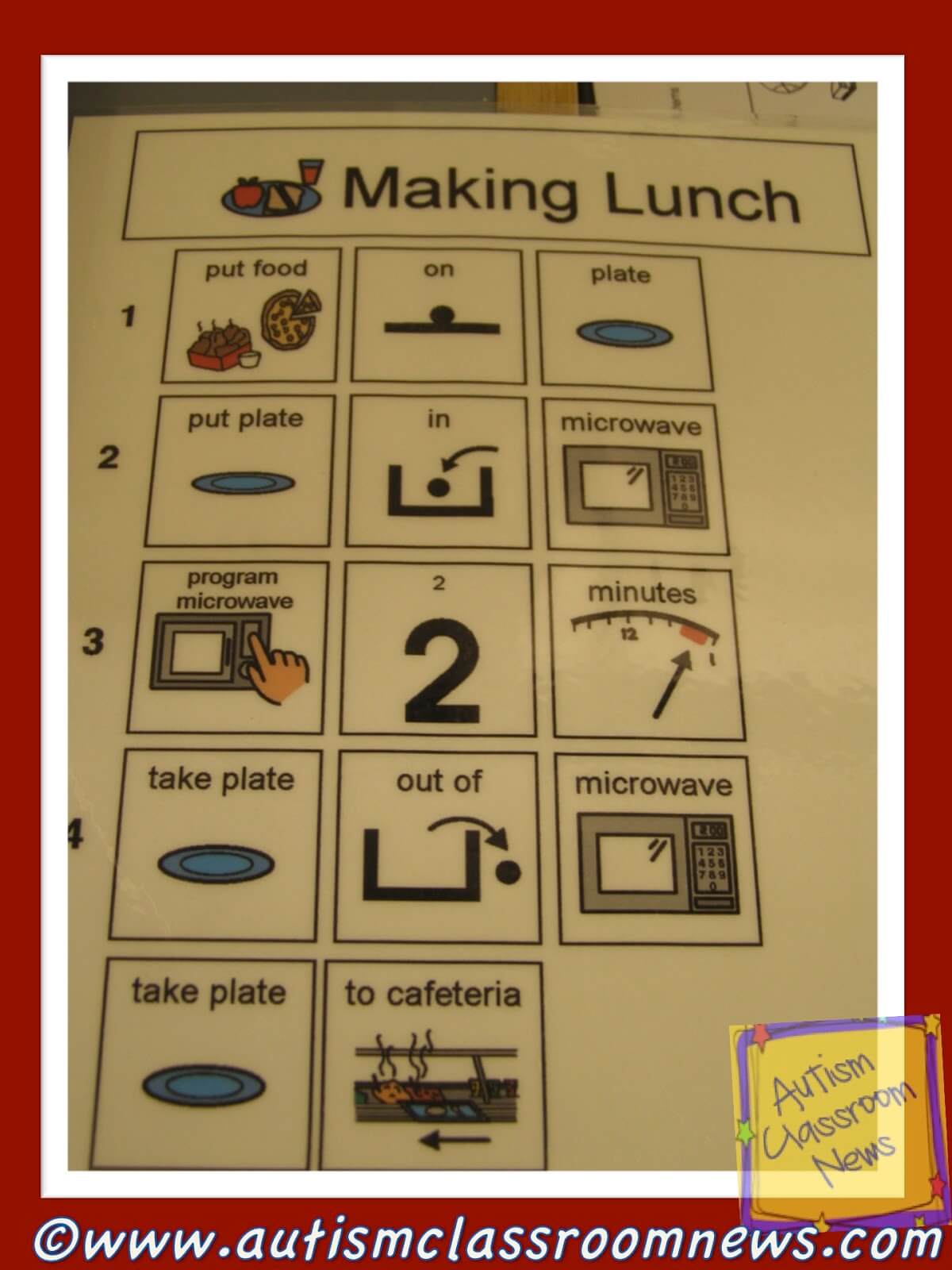
This was a visual made for a secondary student to heat up his own lunch. We used Mayer Johnson’s Boardmaker pictures to illustrate the steps of heating up his pizza in the microwave. This was also something he could practice at home and that became a life skill for him after school.
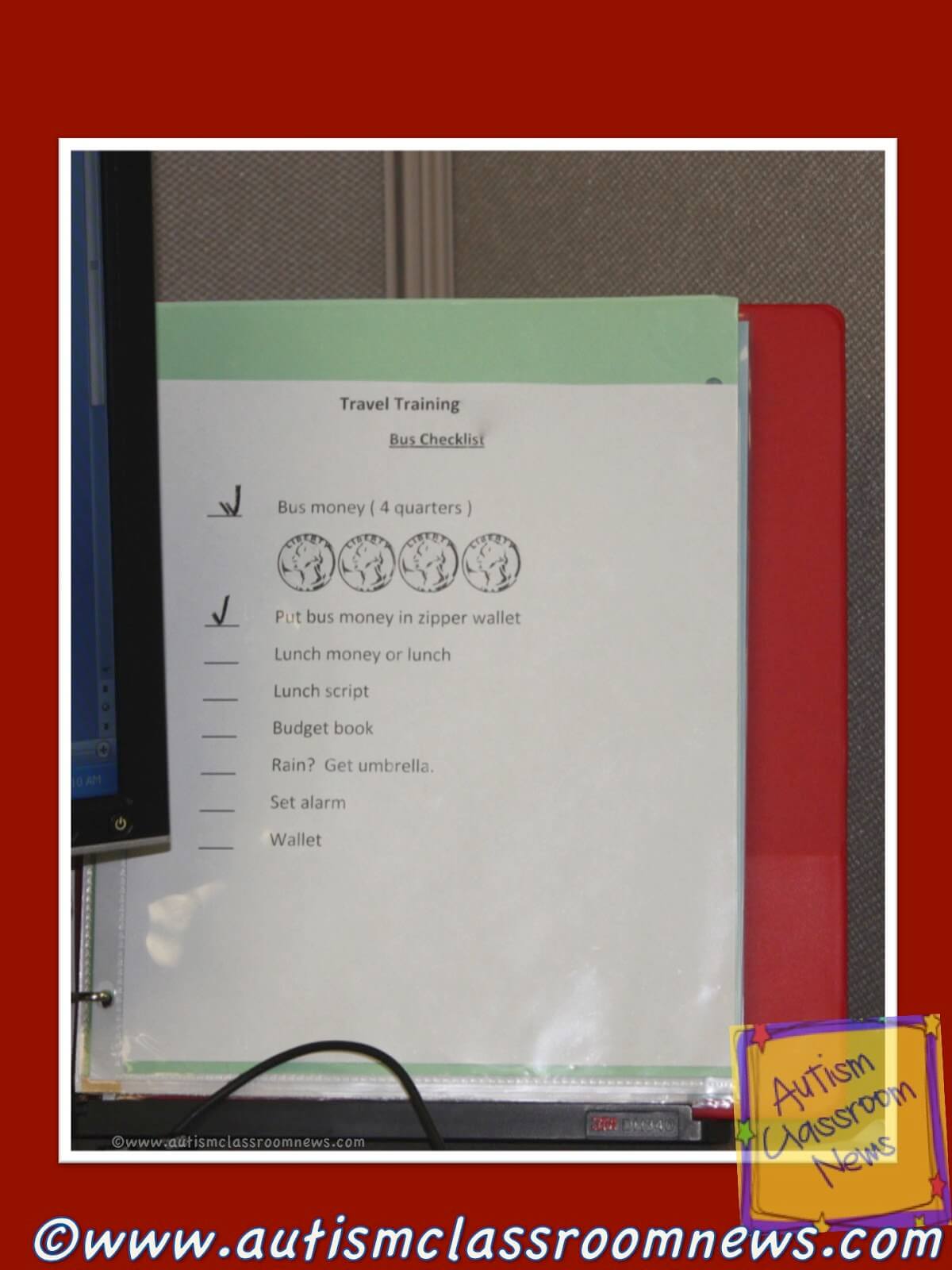
The picture to the left is an example of a bus schedule. It tells the individual how much money he needs, with visual cues as a jig, to use the bus, tells him to put his money in a zipper wallet, take lunch money and his lunch script, his budget book, an umbrella if it was going to rain, to set his alarm and take his wallet. This then allowed him to have what he needed to take the bus to work and to gather those things independently without others having to remind him.
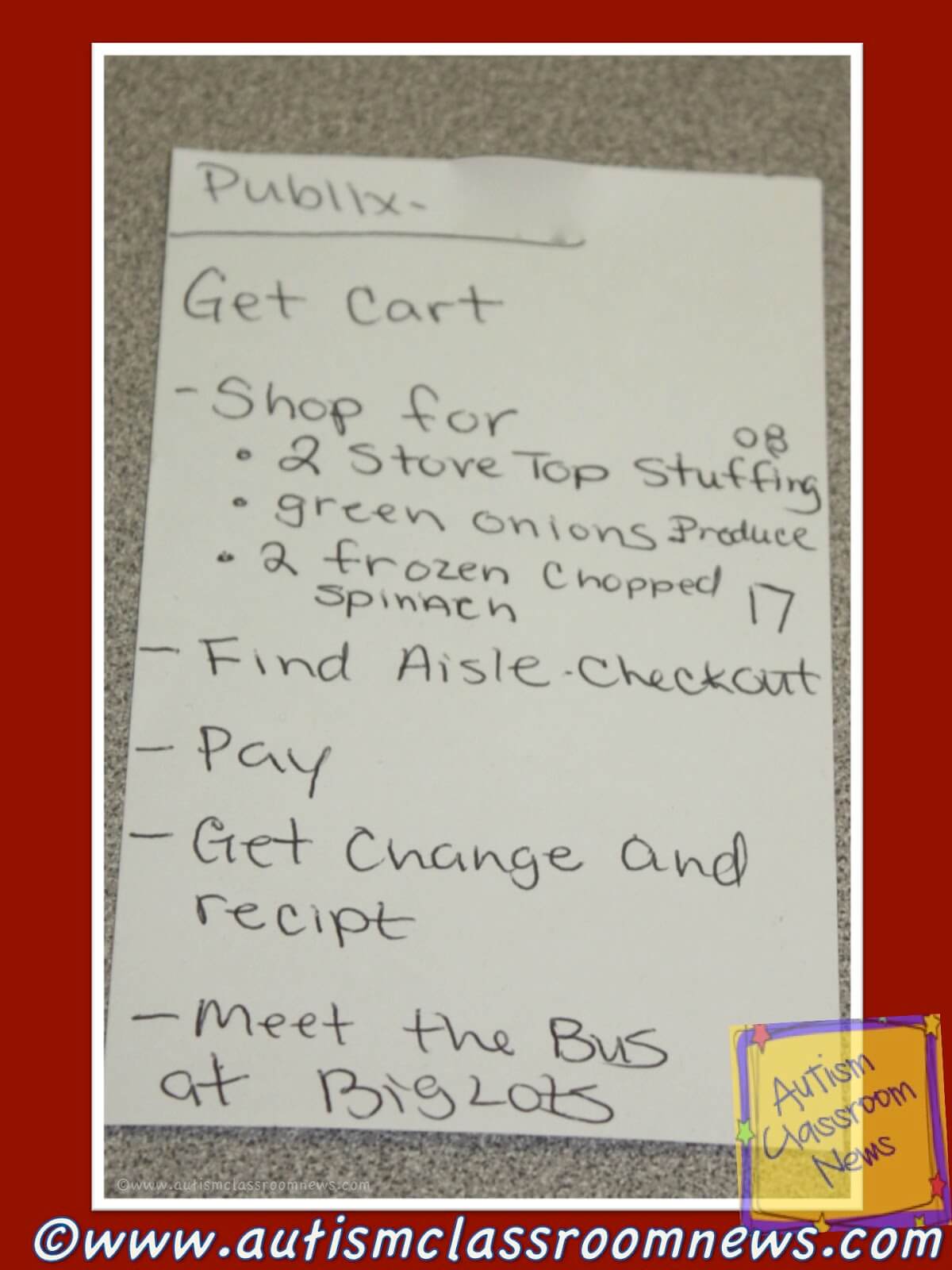
The picture to the right is a similar type of schedule for shopping at the grocery store. The student needs to get the cart, shop for a list of items, find the aisle for checkout, pay, get his change and receipt and then meet the bus at the Big Lots across the parking lot. He crosses off each item as he finishes it and a new list can be made next time on an index card.
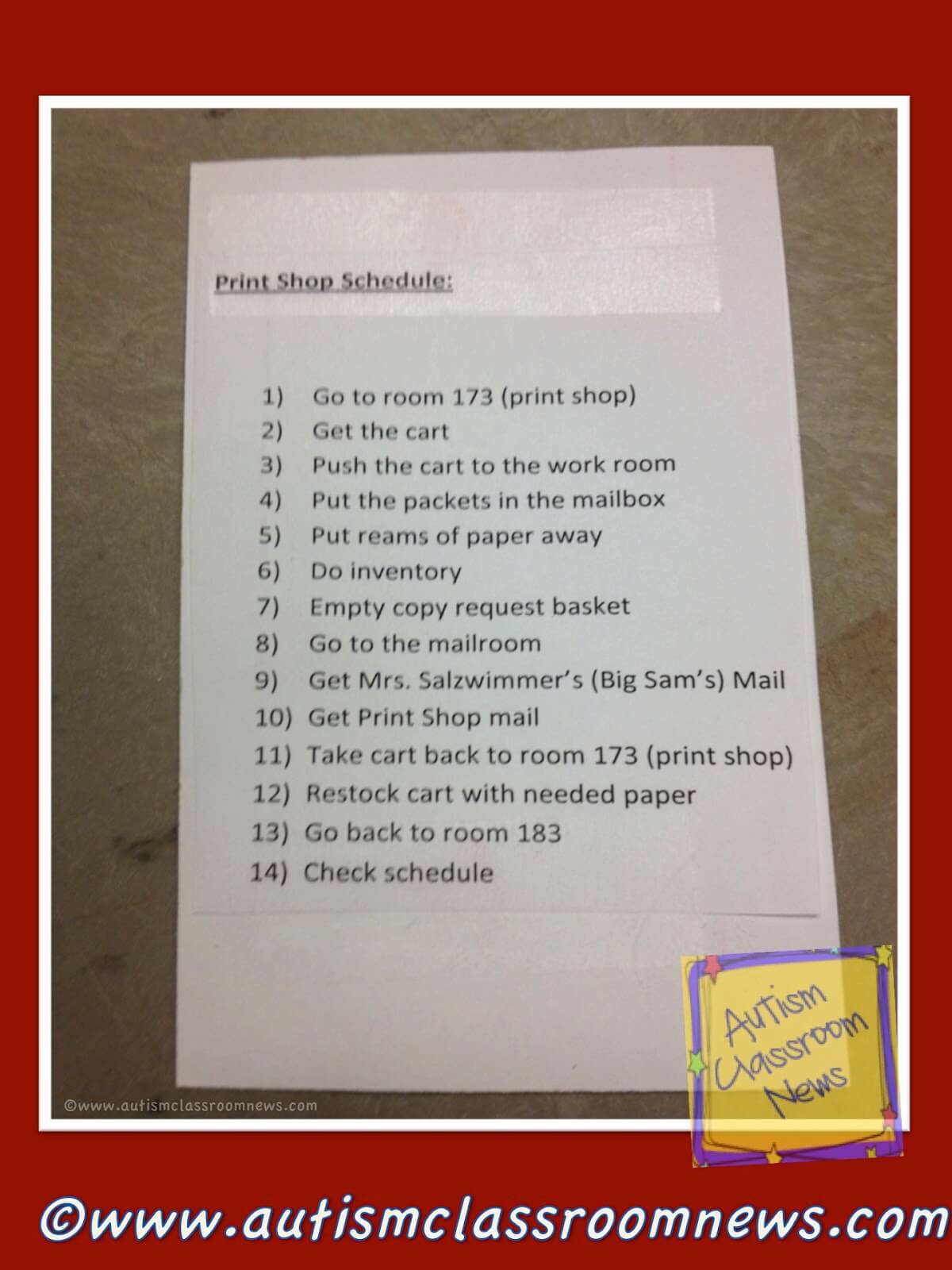
The example of the left is a bit more complex. It is a schedule for a student to complete a job at the high school of going to the print (copy) shop, getting the copies to put in teachers’ mailboxes, take inventory of supplies needed, deliver the mail and other tasks around the school. This can then be transitioned or generalized to jobs outside the school. The student who used this was quite independent with it and could the whole series of jobs by herself with limited supervision.
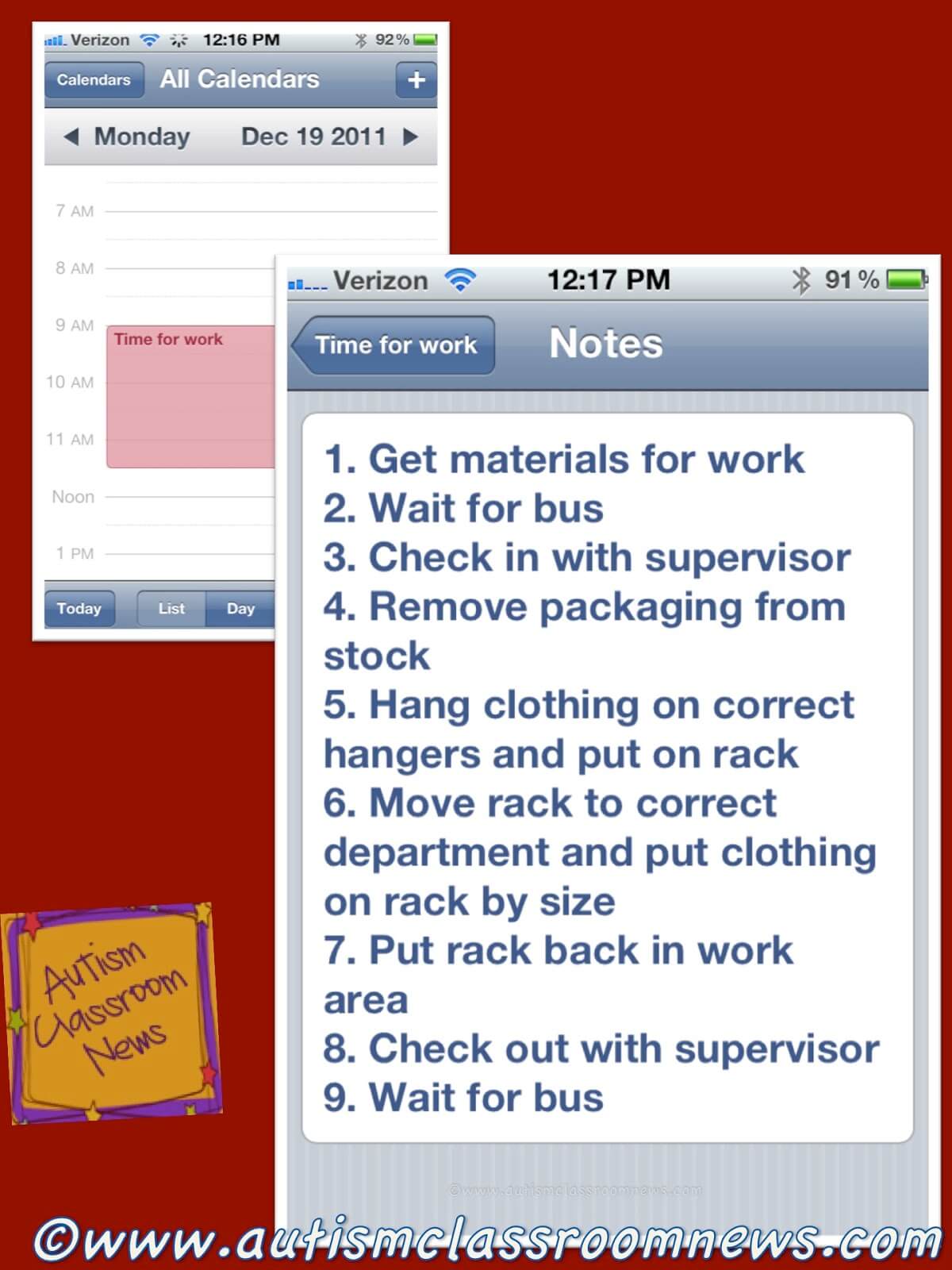
And finally, of course there is always a place for technology in the use of schedules. One easy way to incorporate a smart phone or tablet into a schedule for an adolescent or adult is to use the calendar or the to-do list / reminders app. To the right is an example of a schedule I set up on an iPhone in the calendar app. The calendar (upper left corner) has the work time on it with a reminder. Then in the notes I wrote out the list of tasks for the student to complete. You could also use the Reminder app that allows the student to check off each activity as it is completed.
So as I said in the last post, it’s important to remember that schedules need to be used in new situations and situations with less support and/or structure than in those with more support. Schedules can be used very effectively with adolescents and adults who are transitioning from school to the community or living and working in the community already. Like all schedules, the key is finding a good fit for the individual, be it pictures, objects or words.
In the next few posts I will wrap up the discussion of schedules. Stay tuned Thursday / Friday for a guest blog from a teacher who is going to share how she uses schedules with her students and we will have a freebie for you as well.
Have you used schedules with older students and/or adults in community settings? Have you helped families to use them to help students be more independent at home? Please share ideas in the comments.