
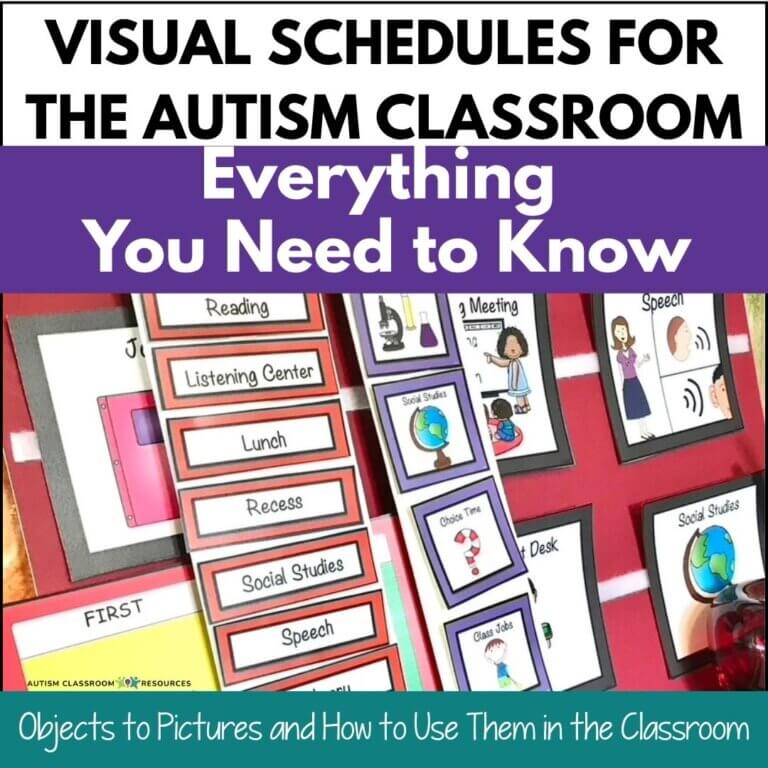

There is nothing more powerful than watching a student with autism’s eyes light up when they understand our expectations….through a visual schedule. Finding the right visual schedule that matches the students needs and teaching it effectively are two keys to successful structure in an autism classroom.
I’ve spent more than 30 years working in and around special education classrooms, and if I had to name one tool that makes the biggest difference for students with autism, visual schedules would be near the top of the list every single time.
Not because they’re flashy or complicated. Because they work. But only if you set them up and teach the students to use them.
In this guide, I’m going to walk you through everything you need to know about visual schedules for the autism classroom — what they are, why they’re so effective, the different types, how to get started, and how to teach your students to actually use them independently. I’ll also link to the deeper resources I’ve written on each topic so you can go further when you’re ready.
Before we get started — if you’re looking for a ready-to-use first-then board you can print and put up today, grab the free first-then visual schedule from my Resource Library. No complicated setup required. Grab the free first-then board in the Free Resource Library.
Table of Contents
What Are Visual Schedules — and Why Do They Work for Students with Autism?
A visual schedule is exactly what it sounds like: a schedule that uses objects, drawings, pictures, photos, symbols, or written words to show a student what is happening now, what comes next, and what their day looks like.
That might sound simple. And it is — but the simplicity can be deceiving. As with most things, we still need to teach their use.
For students with autism, the world can feel unpredictable and hard to read. Verbal instructions disappear the moment they’re spoken. Social cues are easy to miss. And transitions — moving from one activity to the next — can trigger anxiety and challenging behavior, not because a student is being difficult, but because they genuinely don’t know what’s coming.
Visual schedules solve that problem by making time and sequence concrete and visible. They stay right there–static where the student can see it.
A student doesn’t have to hold the day in their working memory or trust that things will go the way they always go. They can see it. They can check it. They can refer back to it when they feel uncertain.
From a behavioral standpoint, this is huge. Predictability reduces anxiety. Reduced anxiety means fewer behavior challenges. And when students can follow a schedule independently, they’re building the kind of self-management skills that carry far beyond the classroom.
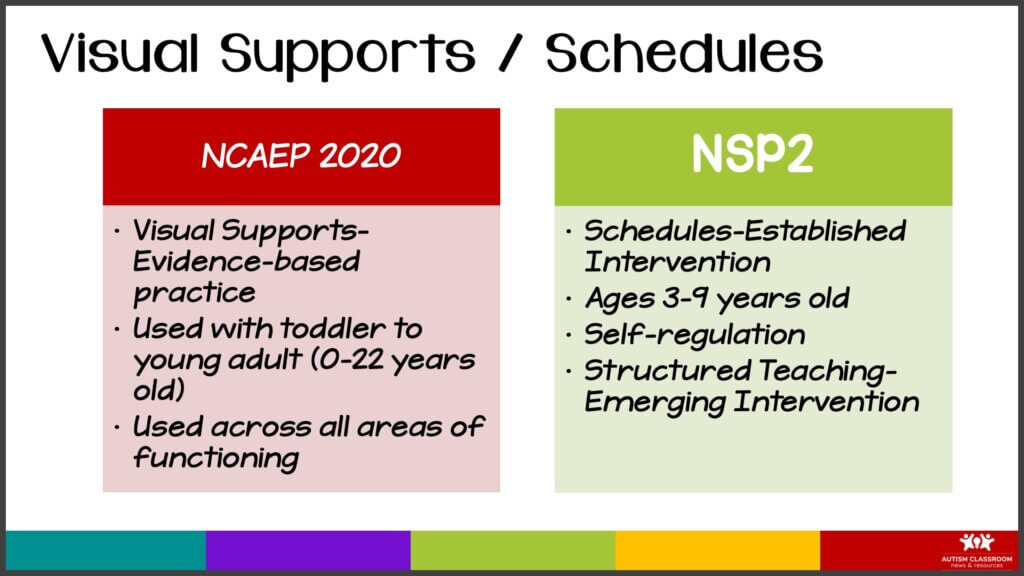
Research consistently supports the use of visual schedules for autistic students — and after three decades of seeing them in action, I’m a believer that they are an amazing tool.
Types of Visual Schedules for the Autism Classroom
One of the most common questions I get is: “Which type of visual schedule should I use?” The honest answer is that it depends on your student — their communication level, their age, their degree of independence, and what you’re scheduling.
Here’s a quick overview of the main types, with links to the full breakdowns for each:
First-Then Boards
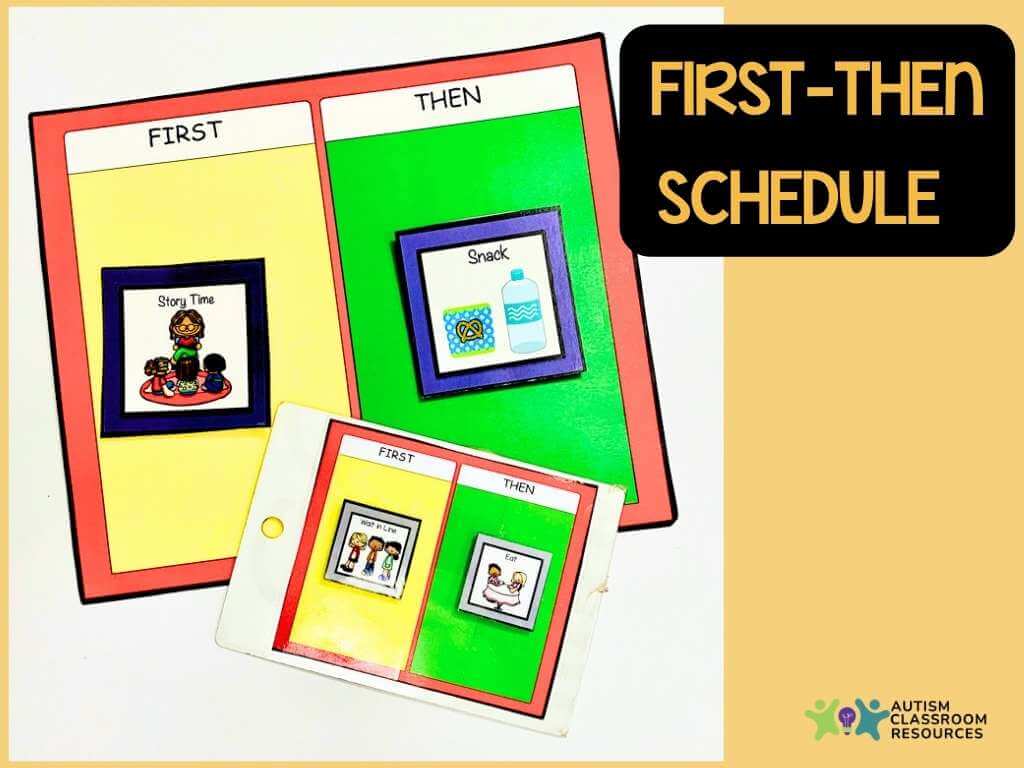
The simplest form of visual schedule. A first-then board shows a student one thing they need to do first, and one thing that comes after (usually something motivating). It’s a great starting point for students who are just learning to use schedules, or for managing a single challenging transition.
For a deep look at how to make and use them: Visual Schedule Series: First-Then Boards — and grab the free printable while you’re there.
Object Schedules
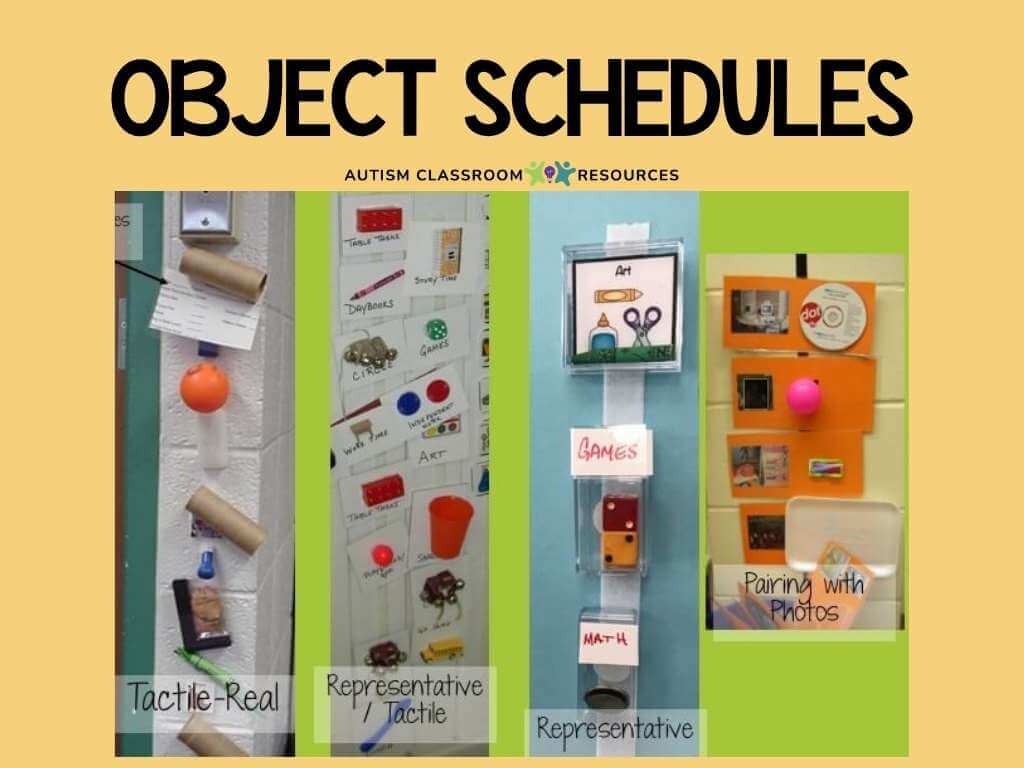
For students who are pre-symbolic or early communicators, object schedules use actual objects — or miniature versions of them — to represent activities. A small cup means snack time. A piece of a puzzle means work time.
These are particularly effective for students who aren’t yet reading pictures or symbols consistently. Object schedules are often used for students with visual impairments as well, but then are often used a bit differently for more tactile elements.
More on this in: How to Make and Use Object Schedules
Picture and Photo Schedules
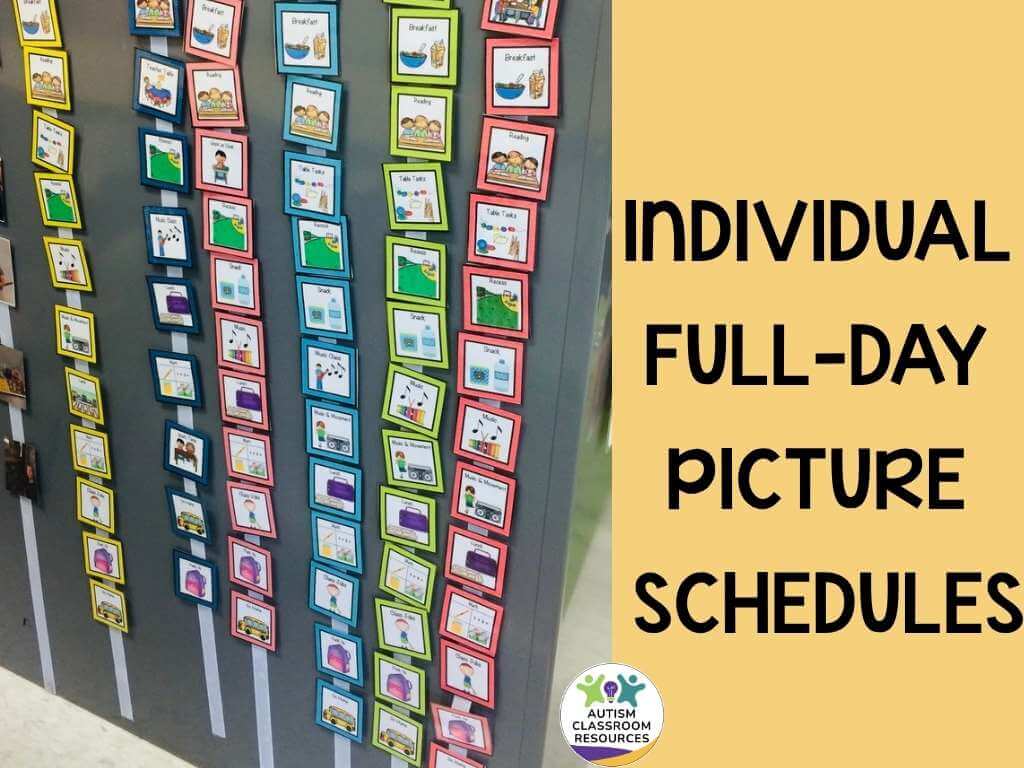
These use images — either clip art, illustrations, symbols, or actual photographs — to represent activities. They’re one of the most common types in autism classrooms because they work well across a wide range of learners. Photos of your actual classroom and materials can be especially effective since they’re concrete and familiar.
Written Schedules
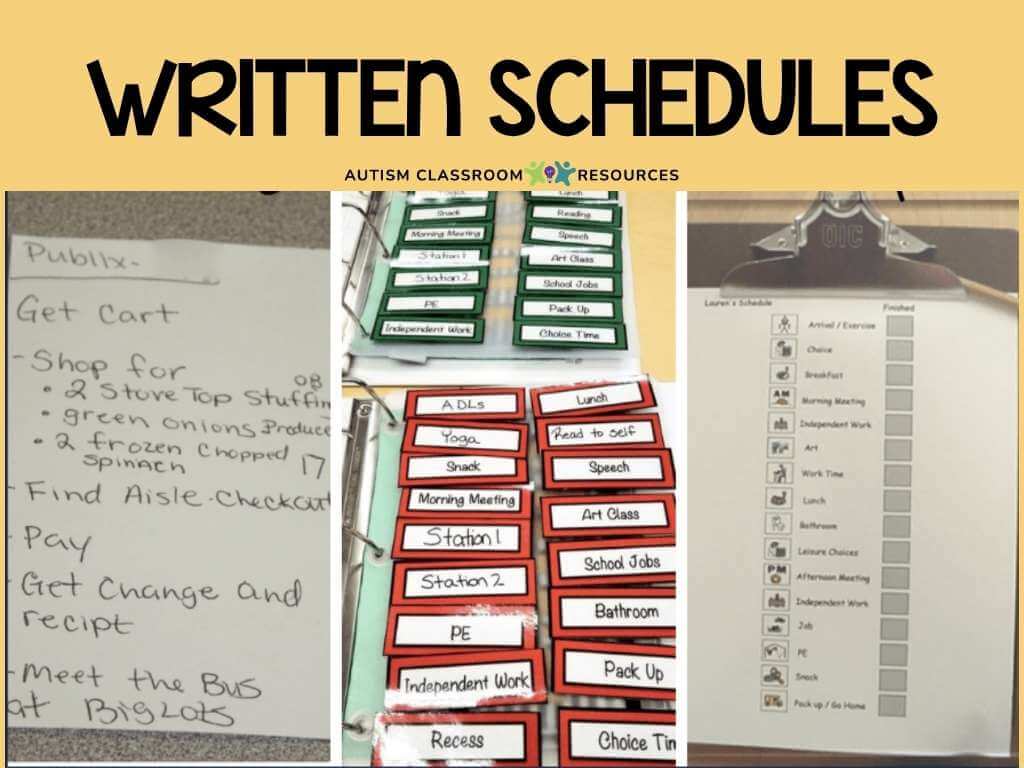
For students who read, a written schedule can be just as effective as a picture-based one — and easier to update quickly. These work particularly well for older students and can help bridge toward the kinds of planners and to-do lists they’ll use as adults.
Mini-Schedules
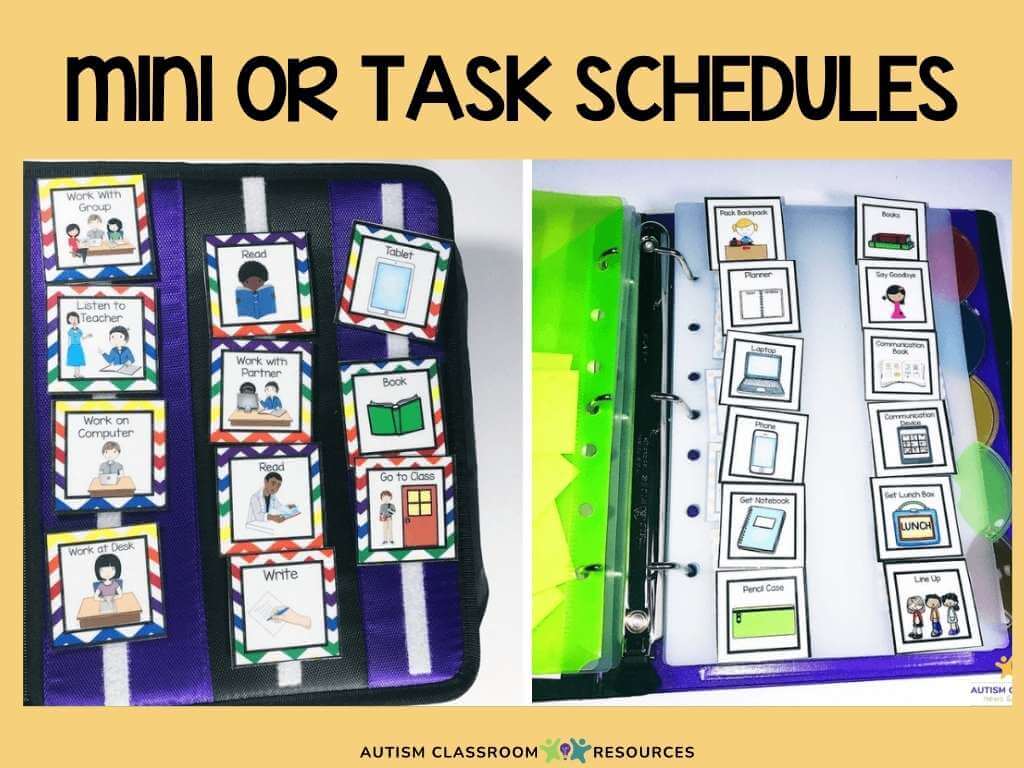
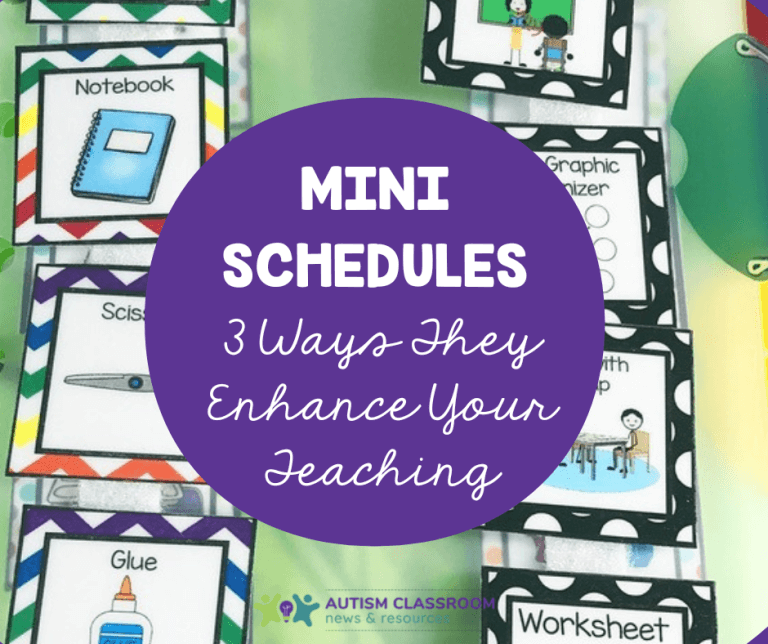
Mini-schedules (sometimes called task analyses or “schedules within a schedule”) break a single activity down into its steps. Instead of just knowing they have “work time” next, a student can see the four steps involved in their work task. These are incredibly useful for building independence during routines.
I’ve written a whole series on these — start here: Mini-Schedules for Routine Tasks
Individual Full-Day Schedules
An individual schedule shows a specific student their entire day from start to finish. They could be object, picture or written schedules.
These are the backbone of a well-structured autism classroom because they give students the full picture — reducing anxiety about what’s coming and helping with transitions throughout the day.
See: Individual Visual Schedules for Students With Autism — Part 1
Group Schedules
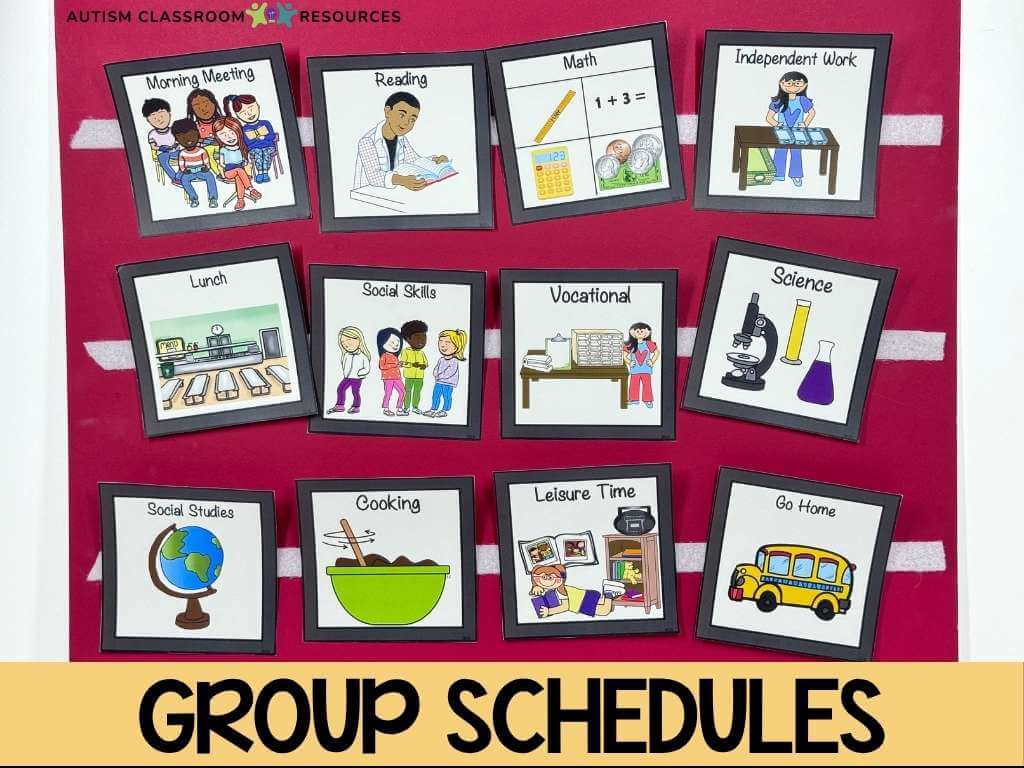
A group schedule shows the whole class what’s happening — displayed where everyone can see it. It works alongside individual schedules, not instead of them. Students can cross-reference their personal schedule with the class schedule, which supports flexibility and group awareness.
Why I love them: 5 Reasons to Use Group Schedules in Your Special Education Classroom
How to Choose the Right Type of Visual Schedule for Your Student
The type of schedule that works best depends on a few key factors: Where is your student in terms of symbolic understanding? Can they match objects to pictures? Do they read? How much of the day do you need to schedule — some students might use a first-then for each transition while others just need a center schedule (mini schedule) and the group schedule for the day.
A student who’s just learning to follow any kind of schedule might start with a first-then board and works up from there. (Don’t worry, there are ways to keep that from being a mass of individual visuals.)
A student who reads and has solid daily living skills might do well with a written checklist. Most students in a self-contained autism classroom land somewhere in between — picture or photo schedules with symbols.
I broke this down in much more detail here: What Kind of Visual Schedule Do I Need? — it walks through the decision-making process step by step.
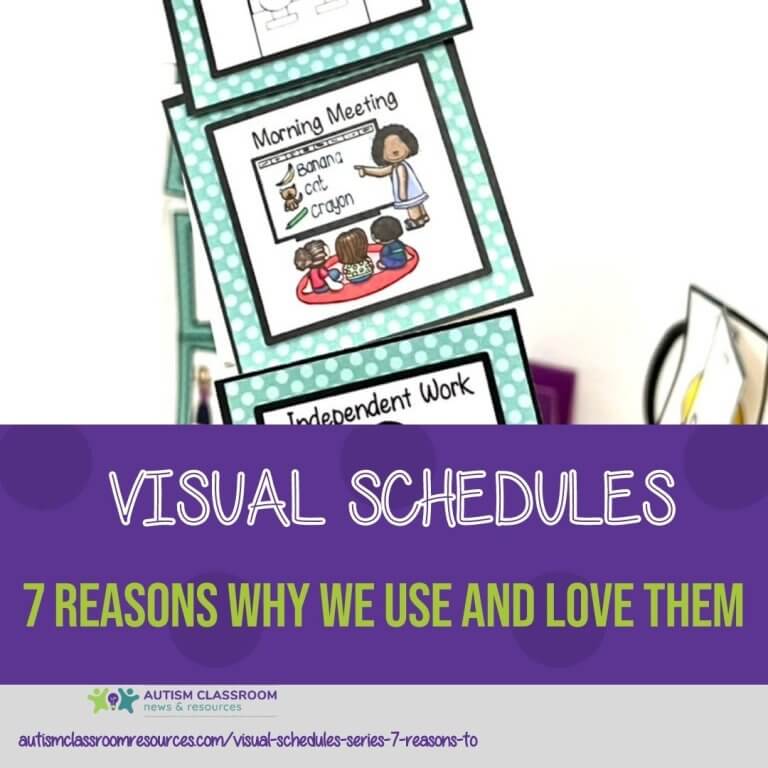
And if you want to understand the research and reasoning behind why different formats work for different students, the 7 reasons post is worth a read: Visual Schedules: 7 Reasons Why We Use and Love Them
How to Set Up Visual Schedules in Your Classroom
Here’s the basic process I walk through when setting up visual schedules — whether it’s the first week of school or mid-year for a new student:
- Choose the format that matches your student’s level (see above).
- Gather or create your visuals — photos, symbols, or words. Keep them simple and consistent.
- Set up the physical schedule where the student can access it easily — at their eye level, in a consistent location.
- Introduce the schedule explicitly. Don’t assume students will figure out how to use it on their own. Teach it like you’d teach any other skill.
- Prompt students to check and use their schedule throughout the day, then fade those prompts over time.
Sometimes you have to start with a type of schedule to determine what works best for a student. I remember an elementary student who struggled when we gave him the full day schedule on the wall with check-in stations. When we switched him to a first-then schedule (on a notebook with the daily schedule inside), and he only had to see what happened now and next, his whole face lit up. Because he got it and it made sense to him.
I can’t tell you the number of classrooms I’ve been in where the teacher was told to use visual schedules. But no one bothered to really work out the actual set of events over time for the day (i.e., the events of the schedule).
Your students won’t benefit from a visual schedule if the events of the day are unorganized and keep changing. First, you have to have an established classroom schedule. To learn more about how to create the classroom schedule, check out How to Set Up the Schedule in Your Special Education Classroom.
One thing I can’t emphasize enough: the schedule only works if students actually use it. That means teaching them to check it, follow it, and come back to it — not just having it hanging on the wall.
Teaching Students to Use Their Visual Schedule Independently
Getting a visual schedule up on the wall is the easy part. The goal — the thing that actually changes outcomes — is teaching students to use their schedule independently, without needing a teacher or para to prompt them through every transition.
This takes time and deliberate instruction. You’ll likely start with full physical prompting (hand-over-hand), gradually fade to a point or visual prompt, and then fade to no prompt at all. Some students get there quickly. Others need months of consistent practice. Both are normal.
A few things that tend to speed up the process: keeping the schedule in a consistent location, making sure students actively manipulate it (moving a clip, crossing off items), and making sure the schedule is accurate — if you say “gym” and gym gets canceled, update the schedule before the student finds out on their own.
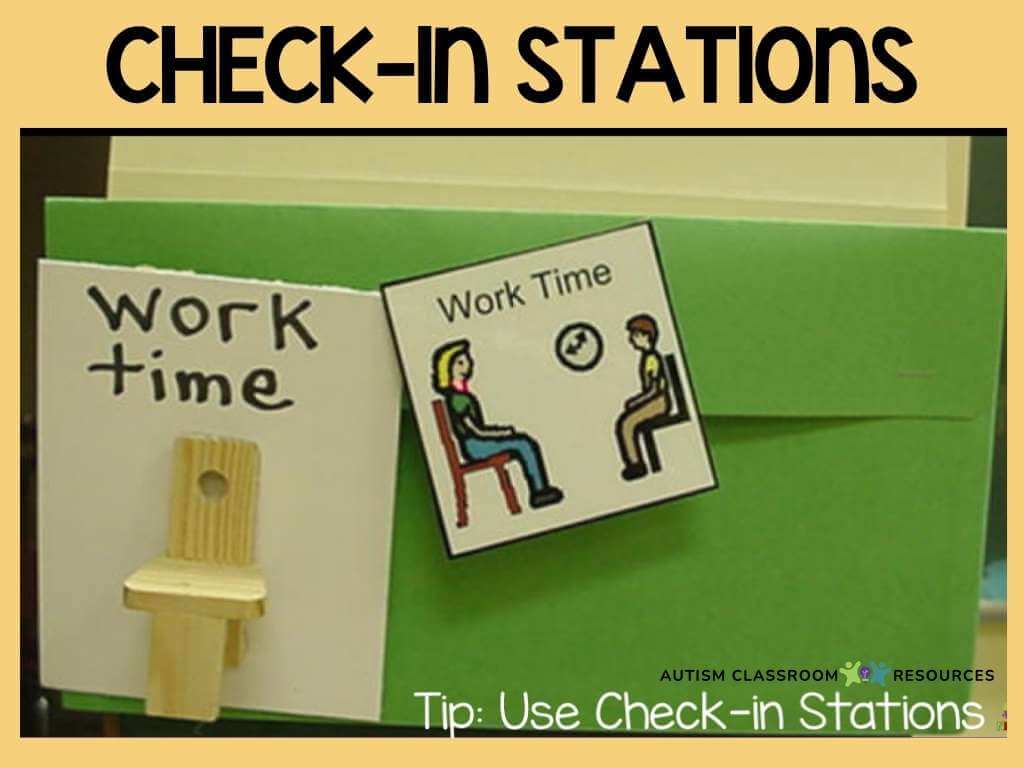
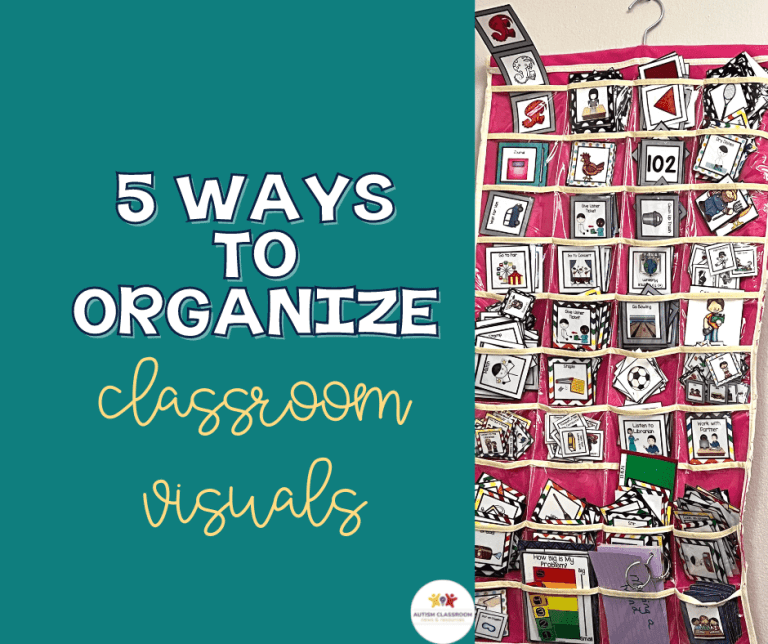
Using check-in boards for students to carry and match their visuals (or words) to are also a system that will make schedules a tangible process for them. For students who aren’t consistently matching yet, try this task-based practice activity to build that skill: How to Improve Visual Schedule Use with This Independent Work Task
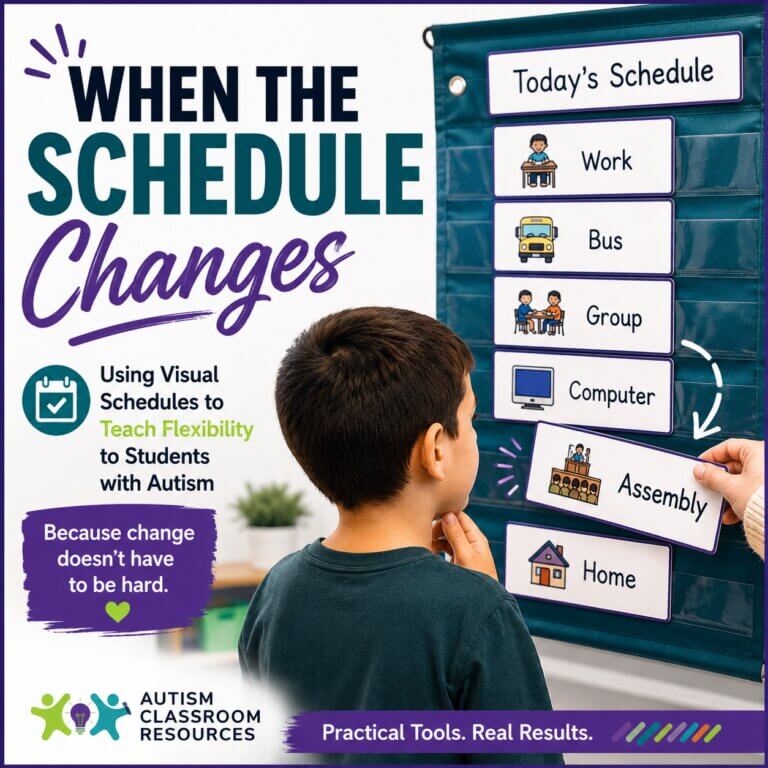
What About Schedule Changes?
This is where a lot of teachers feel stuck — and I get it. You’ve worked hard to create a predictable routine, and now there’s an assembly, a substitute, a fire drill. Your student who finally had the schedule down is suddenly dysregulated, and you’re managing the fallout.
This often causes people to think that visual schedules cause students with autism to be rigid. The reality is just the opposite. One of the characteristics of autism is rigidity and difficulty with change. But don’t worry, schedules can actually help with that.
Here’s the thing: flexibility is a skill, and it has to be taught. The goal isn’t a schedule that never changes — it’s a student who can handle changes when they happen.
I wrote a full post on exactly how to do this: Teaching Flexibility with Visual Schedules — it walks through practical strategies for introducing and managing schedule changes in a way that builds resilience rather than just hoping for the best.
Free Visual Schedule Resources
If you’re looking for ready-to-use visual schedule materials you can print and put up without spending hours making your own, I have you covered.
SIGN UP FOR FREE TIPS EACH WEEK IN YOUR INBOX AND GRAB A FREE SET OF FIRST-THEN BOARDS FROM THE RESOURCE LIBRARY
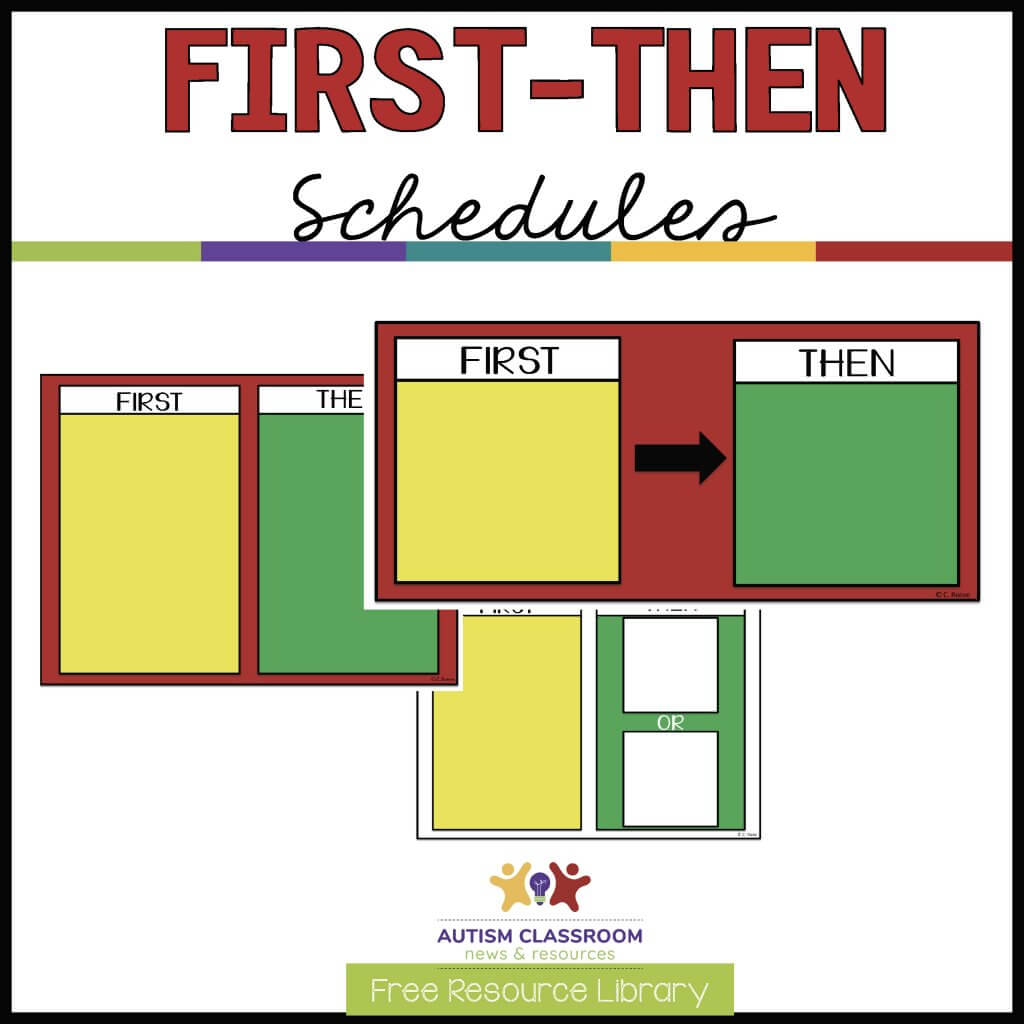
This first-then download is expanded from the version available in my TpT Store. It includes boards in different sizes, with less color, and in black and white. And you are welcome to send them home to parents of students on your caseload.
Grab them from the Free Resource Library. Click below to navigate or join the free library.
The free first-then board printable in my Resource Library is one of the most-downloaded resources on this site — and for good reason. It’s clean, classroom-tested, and works for a wide range of learners.
Grab the free first-then board in the Free Resource Library.
And if you’re looking for a full classroom visual schedule pack — including individual schedules, group schedules, and behavior visuals — you can find that in the shop as well.
Frequently Asked Questions About Visual Schedules for Autism
Why are visual schedules important for students with autism?
Visual schedules provide predictability, which directly reduces anxiety for many autistic students. When students know what’s happening now and what comes next, they spend less cognitive energy managing uncertainty — which means more capacity for learning. They also support independence, communication, and transition skills in ways that verbal-only instruction often can’t. You’ll get it the first time you can say, “Schedule says it’s time for ___” and the student independently goes to the right spot.
What types of visual schedules work best for autism?
It depends on the student. First-then boards work well for beginners and single transitions. Object schedules are a strong fit for pre-symbolic learners. Picture or photo schedules are the most common in autism classrooms and work across a wide range of ability levels. Written schedules suit students who read fluently. The most important thing is matching the format to where your student is right now — not where you’d like them to be.
How do you make a visual schedule for a student with autism?
Start by choosing a format (object, picture, written) based on the student’s current symbolic understanding. Gather visuals — I tend to start with symbols because photos of real-life activities don’t always look the same. Set the schedule up in a consistent, accessible location at the student’s eye level. Then teach the student to use it explicitly: prompt them to check it before each transition, and fade those prompts over time as independence builds.
What is a first-then board?
A first-then board is the simplest type of visual schedule. It shows a student one thing they need to do first (usually a non-preferred activity) and one thing that comes after (usually something motivating). It helps students tolerate difficult tasks by making the reward visible and concrete. First-then boards are often the starting point for students who are new to using visual schedules. But they are often also used to redirect students or get them motivated to do hard things.
How do you teach a student to use a visual schedule independently?
Start with full prompting — guiding the student physically to check and interact with the schedule at each transition. Gradually fade those prompts: move from physical to gestural to no prompt at all. I also have found it’s useful for the students to manipulate the schedule, often carrying the schedule piece to a check-in station with a matching visual. Consistency is key — the schedule needs to be used the same way, every day, by every adult in the room.
Can visual schedules be used for high school students with autism?
Absolutely. The format typically shifts as students get older — written checklists, digital schedules, or planner-style formats often work better for secondary students than picture cards. However, you want to start where their skill level is. Some high school students might still need pictures, and that’s ok. The underlying principle is the same: predictability, independence, and support for transitions. Visual schedules at the secondary level also connect directly to life skills, job readiness, and self-management goals.
Ready to Get Started?
Visual schedules aren’t a magic fix — but they’re one of the most reliably effective tools I know of for supporting students with autism in the classroom. The key is matching the right type to the right student, teaching the skill of using it, and staying consistent.
Start simple. A first-then board and five minutes of intentional teaching goes a long way.
And if you want a ready-made starting point, the free first-then board printable is waiting for you in the Free Resource Library.
Looking for ready-made schedules to use in your classroom? Grab the visual supports designed specific for ages in the shop or on TpT.
SIGN UP FOR FREE TIPS EACH WEEK IN YOUR INBOX AND GRAB A FREE SET OF FIRST-THEN BOARDS FROM THE RESOURCE LIBRARY
This first-then download is expanded from the version available in my TpT Store. It includes boards in different sizes, with less color, and in black and white. And you are welcome to send them home to parents of students on your caseload.
Grab them from the Free Resource Library. Click below to navigate or join the free library.